

Switchgear Monitoring Camera SGC NG Digital
Digital camera for switchgear – full‑HD streaming directly into your monitoring solution
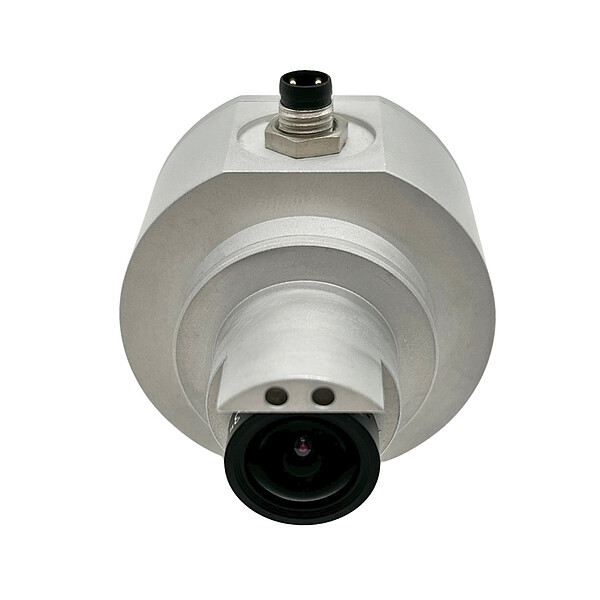
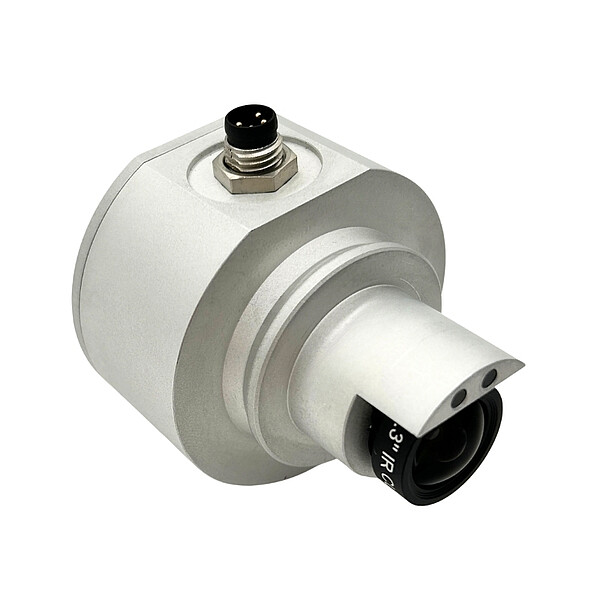
The Next Generation Digital Switchgear Camera (SGC NG) provides a reliable and efficient solution for the visual monitoring of switching positions in medium-, high-, and extra-high-voltage substations. Featuring a rugged design, Full HD live streaming, and an IP67 protection rating, it is ideally suited for both indoor and outdoor applications in GIS, hybrid switchgear systems, generators, and generator circuit breakers (GCBs).
The SGC NG is based on a Power over Ethernet (PoE) network architecture, enabling both power supply and data transmission through a single cable. This creates a scalable camera system that can be seamlessly integrated into both existing installations and new substation projects.
Thanks to its straightforward integration into the Kappa Monitoring Software, all camera feeds within the network can be displayed centrally and conveniently. The system supports both permanently installed solutions and flexible plug-and-play applications. The SGC NG provides maximum transparency and enables technicians to verify switching conditions quickly and reliably.In addition, the SGC NG cameras are available with either a side or rear cable connection, allowing for simple and flexible integration tailored to the specific requirements of each customer installation.
Benefits at a Glance
- 1080p Full‑HD live images via the monitoring software
- Rugged design for extreme environments
- Complete turnkey system delivery, including all required components (e.g., network switches, PoE adapters, AC/DC power supplies, panel PCs, industrial PCs, and monitors)
- Selectable horizontal field of view (HFoV) settings configurable via software
- System configuration tailored to customer requirements
- Professional on-site installation and commissioning by Kappa specialists
- PoE power supply and easy network integration
- Mobile Viewing Platform: The SGC NG camera can be connected directly to a PC via Ethernet using a PoE adapter, enabling fast and flexible access to live video feeds
Centralized camera monitoring via the monitoring software

Example configuration with an 8‑port PoE switch, AC/DC power supplies, and a panel PC with a laptop in the control room
Our SGC system enables comprehensive visual monitoring of switch positions throughout the substation. Multiple cameras are installed directly at the viewing ports of the GIS units, delivering Full HD live video streams via a robust network infrastructure. The cameras are powered through Power over Ethernet (PoE) and connected to network switches housed in protected Local Control Cabinets (LCCs).
At each GIS unit, technicians can access the live camera feeds of the respective bay directly through a local panel PC running the monitoring software. In addition, the system allows users to view camera images from other GIS units across the network. This provides maintenance personnel with instant visibility of all relevant switching positions, enabling faster and more efficient operational verification.
The system also supports centralized monitoring from the control room. Using the monitoring software, operators can access and supervise all GIS units installed within the substation from a single workstation. Role-based access control ensures that each user is granted the appropriate level of access, ranging from view-only permissions to advanced configuration and administrative functions.
The configuration illustrated is provided as an example only. The SGC system can be tailored to individual project requirements, including customized panel PC setups, bay configurations, fiber-optic network architectures, and additional system components to meet specific customer needs.
| Feature | Value |
|---|---|
| Sensor | CMOS, color |
| Image resolution | Full HD 1920 × 1080p @ 30 fps |
| Video format | H.264, streaming via RTSP |
| Field of view (FoV) | 50°, 65°, 87° (software‑configurable) |
| Illumination | 2 Cree LEDs, adjustable |
| Power supply | PoE 48 V, IEEE 802.3af |
| Power consumption | Approx. 6 W (with LEDs at 50%) |
| Protection class | IP67 (with adapter and M8 connector) |
| Operating temperature | −40 °C to +70 °C |
| Dimensions | Ø 50 mm, length 54.5 mm |
| Weight | Approx. 115 g |
| Connector | 4‑pin M8 circular connector |
| Variants | Camera with side connector or rear connector |
| Standards | ISO 16750, DIN EN 60068, DIN EN 60529, IEC 61180, IEC 62271, DIN EN 55016, DIN EN 61000 |
Powerful SGC NG Monitoring Software for Comprehensive Overview
The monitoring software is the central tool for the visual monitoring of your GIS switchgear. It provides an intuitive user interface and a wide range of functions that make operation safer and more efficient.
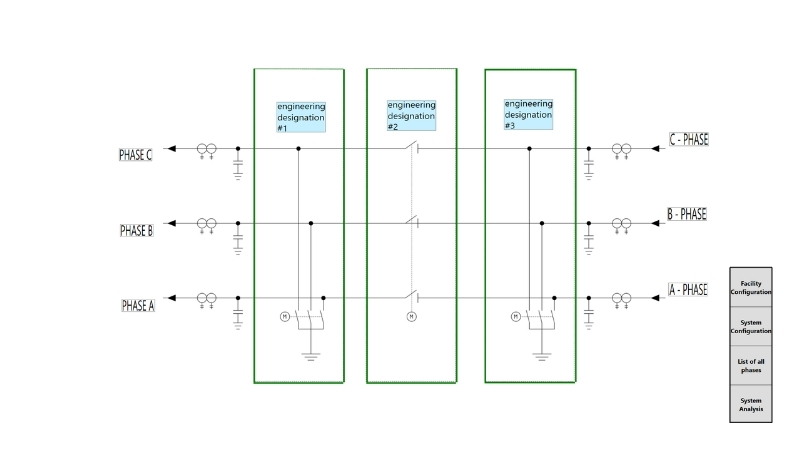
Main screen with single-line diagram and configuration buttons
-
Flexible display options
Choose between a three‑phase view for a complete overview or a single‑phase view to match your specific substation design and operational requirements. Depending on customer preferences, the monitoring interface can also be configured with a vertical layout in which bays are presented exclusively as clickable elements, without the use of a single-line diagram. -
Single-line diagram
The integrated single-line diagram displays the entire substation structure at a glance and simplifies navigation between the individual GIS units.Intuitive bay-to-bay navigation through clickable interface elements. -
Individual customization
Name phases, areas, and devices according to customer requirements to adapt the software precisely to your installation. -
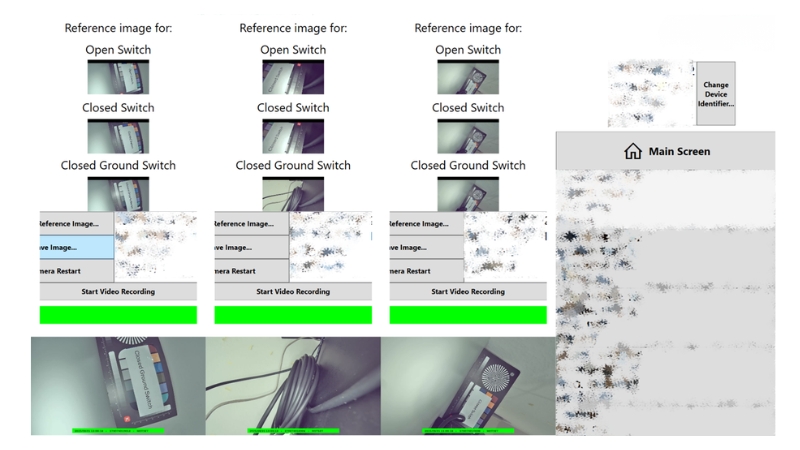
Reference images for switching positions
Reference images can be stored for each contact position (e.g. “Open Switch”, “Closed Switch”, “Closed Ground Switch”), allowing quick and reliable comparison with live camera images. -
Frozen image indicator
The software detects frozen images and displays a frozen image indicator both within the application and directly in the camera image, ensuring maximum operational safety. -
Modular system
Flexible bay-to-PC configurations can be customized to meet specific customer and project requirements.